
Create a consistent AI character for photos and videos
verified on 9 October 2026 · 6 min
A consistent AI character starts with a clear identity and an approved reference. Reuse that reference, keep outfit variants separate and compare every result with the chosen face.
Disclosure: some links in this tutorial are affiliate links. I may receive a commission if you subscribe through them. The examples and limitations come from our documented experiments.
Start with your character. Before the video, we will write a profile and generate an eight-view sheet. It lets us compare face, build and outfit, then keep one reference for the next step.
1. Define what makes the character recognisable
Write a name, adult age, subject and way of speaking. Add three post ideas to check that the character has something to say. Then choose the visual traits that stay fixed. Pose and background can change, and another outfit will be a variant of the same identity.
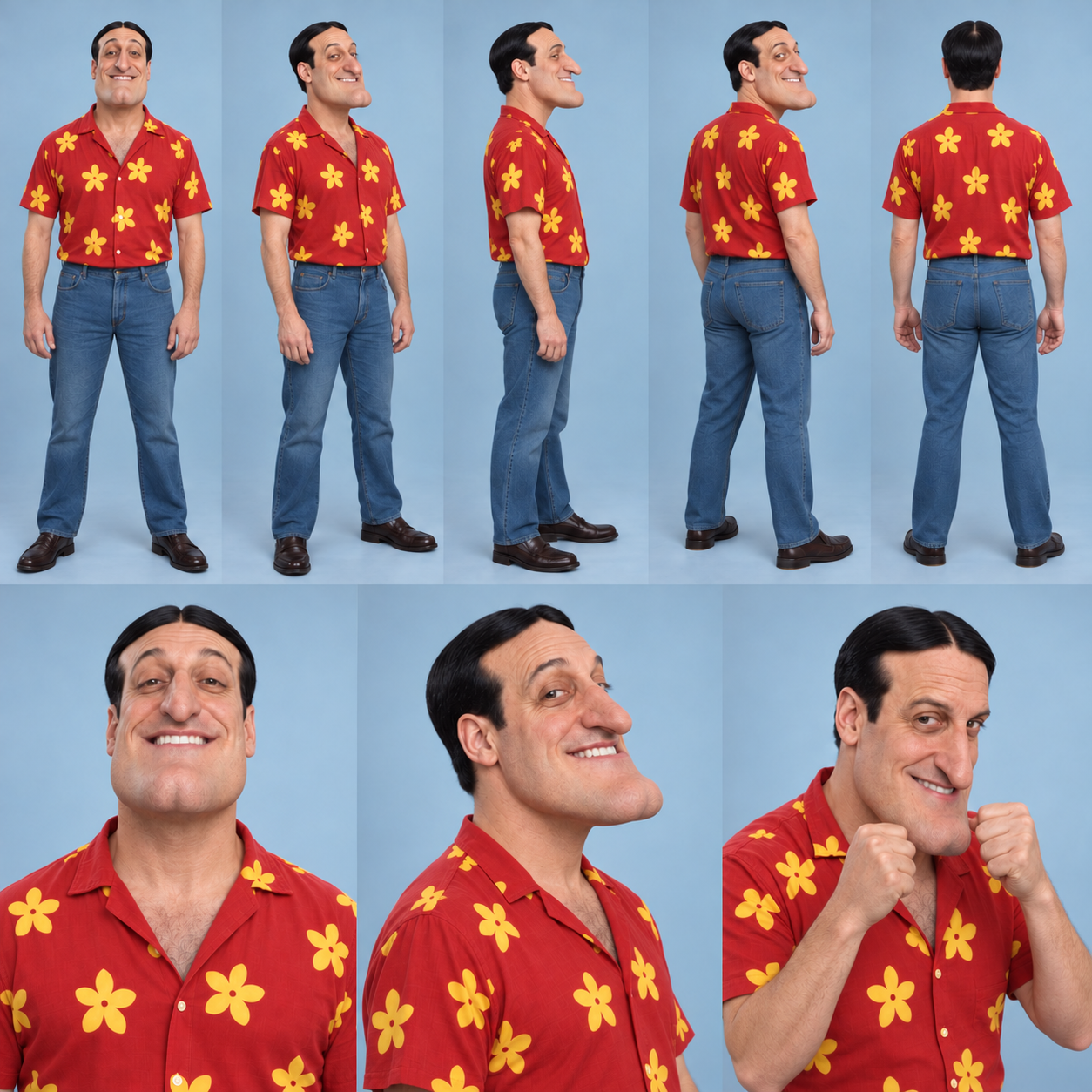
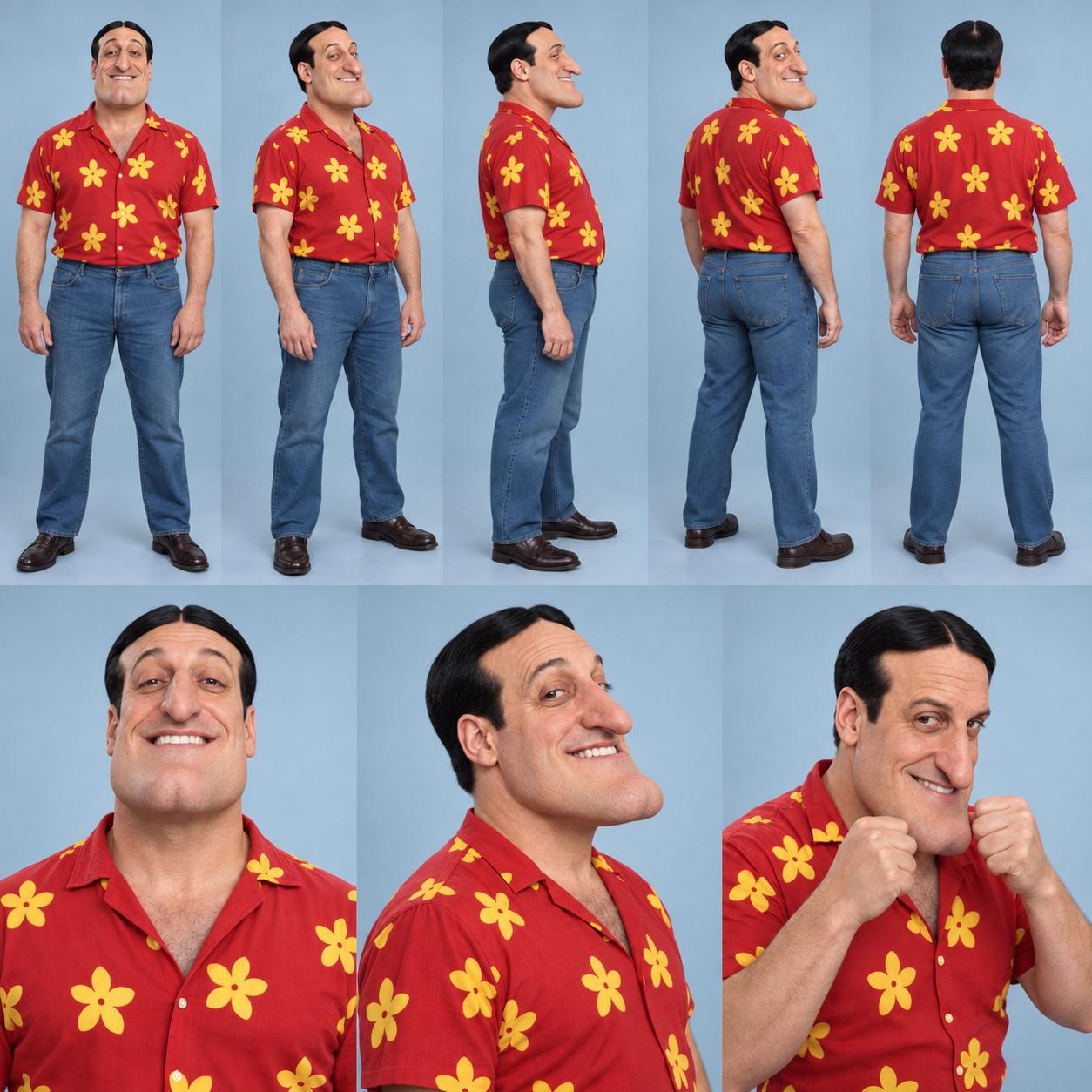
Choose three easily visible traits first. With Glen, look at the chin, centre part and red shirt. Make the same choice for your character. If you are unsure which features to keep, compare two portraits before making more images.
2. Generate your sheet in Codex
A sheet puts several views of one person in a single image. Create it directly with Codex image generation, or ask Codex to use the Higgsfield plugin. Our plugin test used GPT Image 2.5. In either route, copy the instruction below. It defines the view count, order, face and outfit. Compare the images before accepting your reference.
Another option: AI Influencer Builder
- In Codex, ask the plugin to open AI Influencer Builder. Average gives an ordinary appearance, Bold emphasises some traits and Extreme makes a more exaggerated character.
- Set age, build, hair, facial traits and style from your profile. You can add a reference image to guide the face.
- Use Randomize to explore, then stop changing every setting once you choose a direction. Review the selection and displayed cost before generating.
- Compare portrait and full-body view. Keep the accepted images and settings. Recreate reuses settings, but a new image still needs review. A reusable element helps you find the reference without guaranteeing every later result.
3. A character-sheet prompt to copy
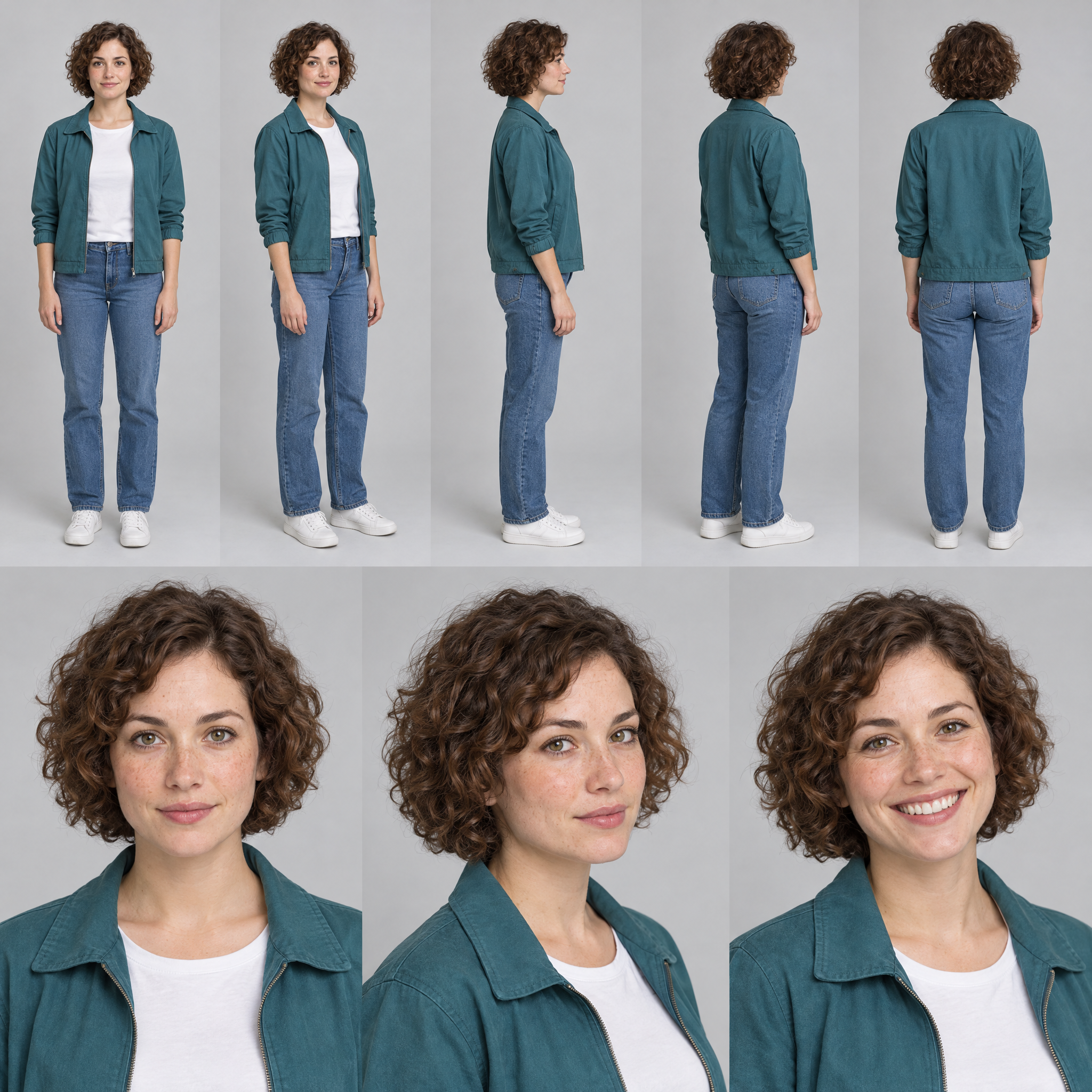
Here is the complete instruction from our test, followed by its output. Copy it as written to try the method, then replace the woman and clothing description with your own character. We tested generation, a new sheet from a reference and a targeted correction. Another run can vary, so count the views and check identity before accepting it.
Create a square photographic sheet for ONE fictional adult character. Identity: fictional 30-year-old woman, oval face, hazel eyes, light freckles, short curly chestnut hair, average build. Fixed outfit: open teal jacket, plain white T-shirt, straight blue jeans, white sneakers.

Exactly eight views in two rows. Top row, five full-body views from left to right: front, front three-quarter, side profile, rear three-quarter, back. Bottom row, three large portraits: front, three-quarter, a different smiling expression. One pose per view.

Keep face, age, build, hair and outfit consistent in all eight views. Keep heads and feet fully within each full-body frame. Light grey studio background, even soft lighting, realistic skin and fabric. No text, labels or watermark.
Higgsfield · GPT Image 2.5
Example description for Glen: fictional adult man with a lean build, very broad chin, smooth black centre-parted hair and a recognisable smile. Outfit: red shirt with large yellow flowers, blue jeans and brown shoes. Describe fixed traits, then compare the output with the approved reference.
4. Read our character sheets
Each sheet shows one person from several angles. Full-body views establish proportions, clothes and shoes. Portraits establish face and expressions. For a swap, explain that these are views of one identity, not several people to add to the scene.
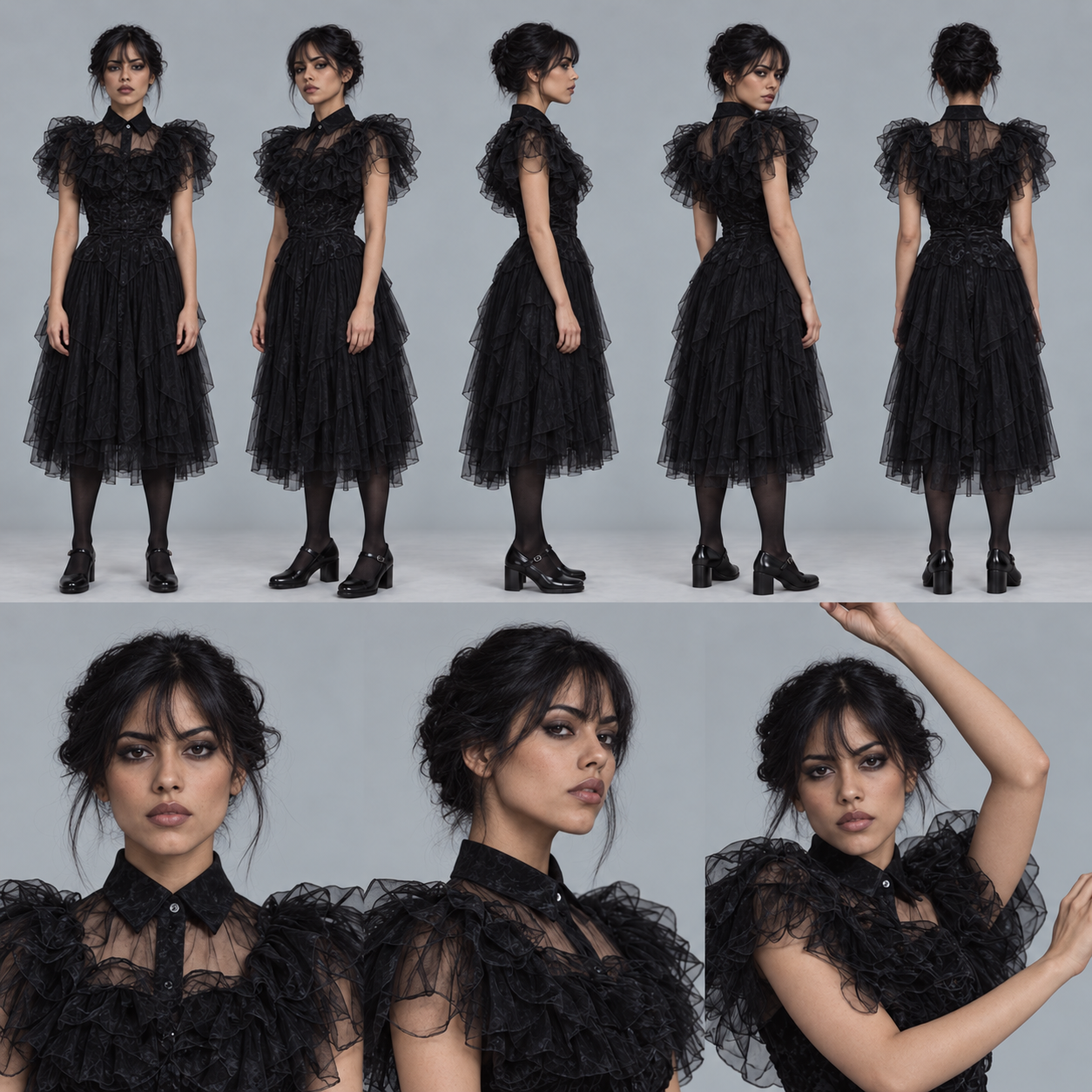
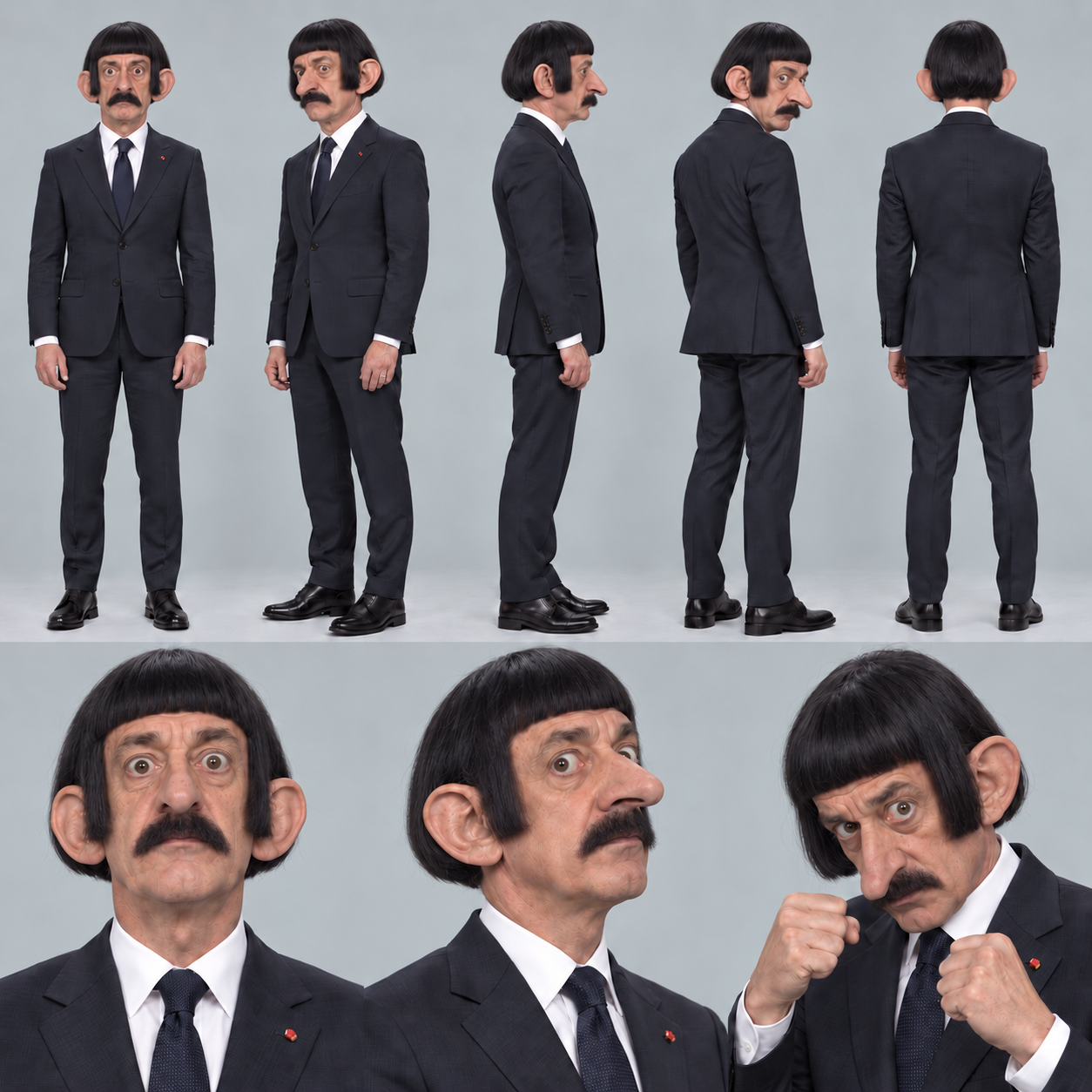
Use one of our sheets to create your own
If you like the layout, save Glen’s sheet below and attach it in Codex with this instruction. It requests a new person and uses only the sheet’s arrangement. Then change the face and outfit description to make your own influencer.
Save Glen’s sheet as a layout example
Use the attached image only as an example of how the views are arranged. Create a NEW person with the identity and outfit I describe. Do not copy the reference person’s face, caricature proportions or clothes. Create a new complete sheet, not a retouch of the attachment.

Create a square photographic sheet for ONE fictional adult character. Identity: fictional 30-year-old woman, oval face, hazel eyes, light freckles, short curly chestnut hair, average build. Fixed outfit: open teal jacket, plain white T-shirt, straight blue jeans, white sneakers.

Exactly eight views in two rows. Top row, five full-body views from left to right: front, front three-quarter, side profile, rear three-quarter, back. Bottom row, three large portraits: front, three-quarter, a different smiling expression. One pose per view.

Keep face, age, build, hair and outfit consistent in all eight views. Keep heads and feet fully within each full-body frame. Light grey studio background, even soft lighting, realistic skin and fabric. No text, labels or watermark.
Codex
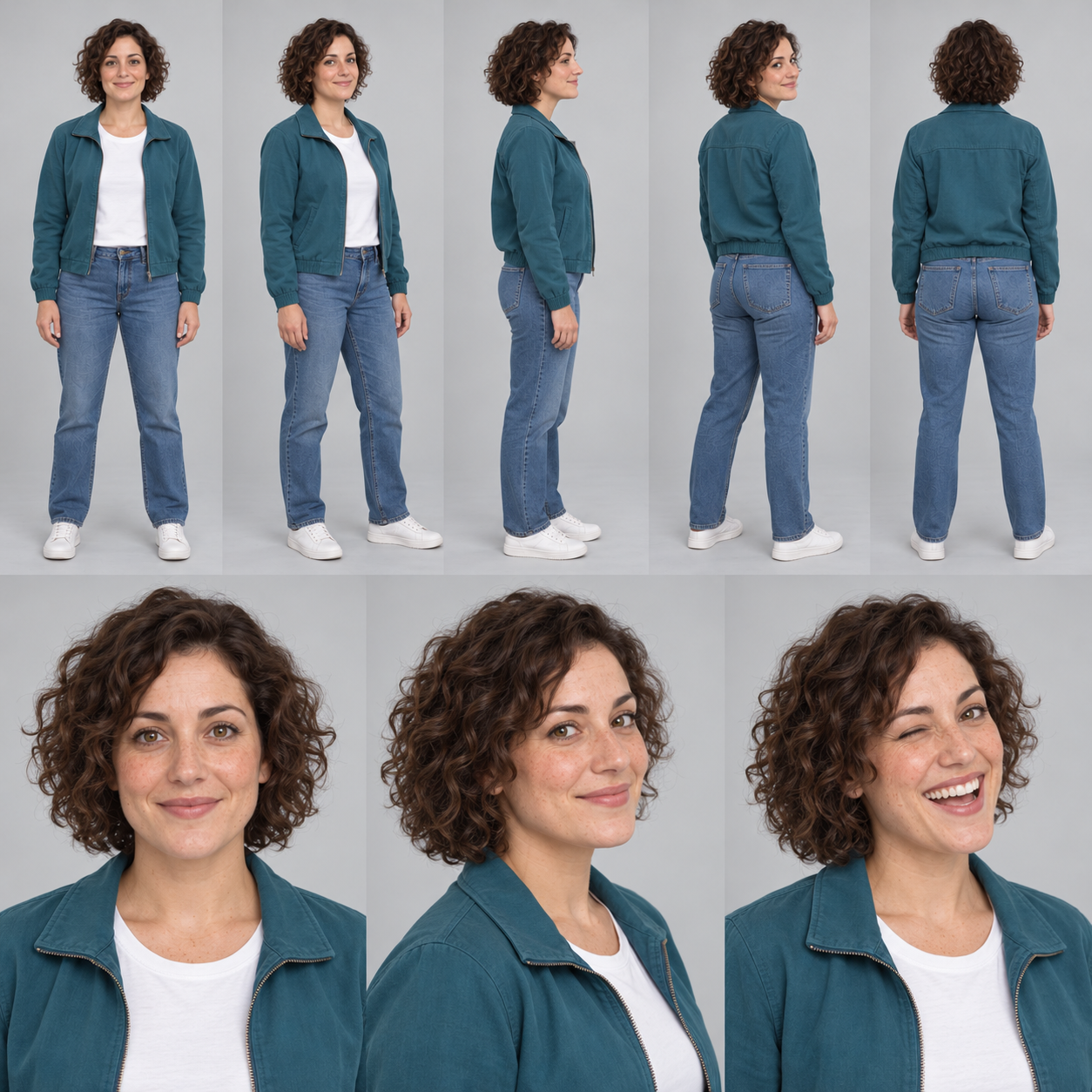
When creating a character, request a new identity. For the later video, attach your own approved sheet and ask to preserve that identity. The reference has a different purpose in these two requests.
5. Correct a defect while keeping the identity
We made Glen's body leaner while keeping his face and outfit. His earlier sheet below shows the change. Ask for one targeted correction and check every affected view.
Template for a targeted correction
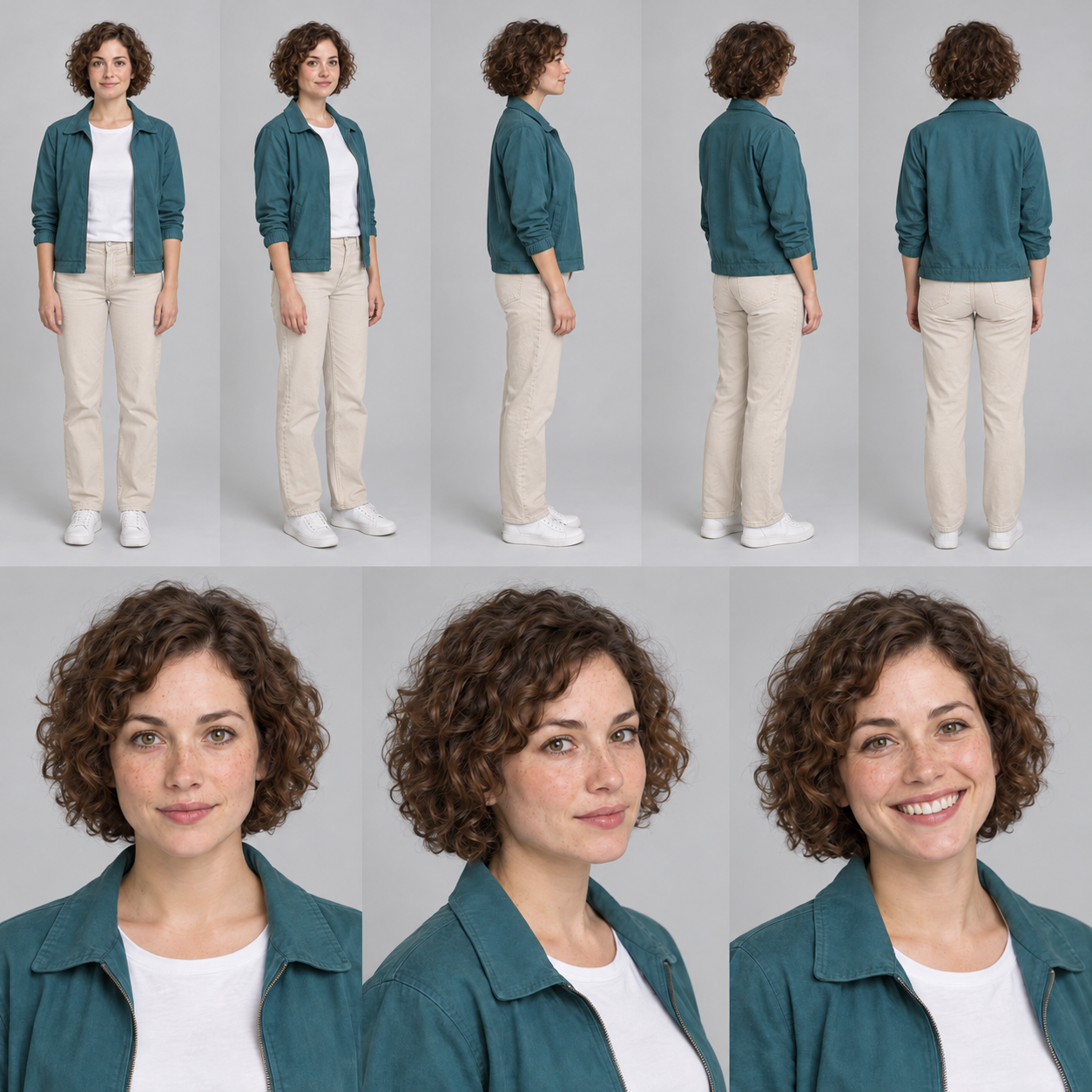
On the attached sheet, replace only the blue jeans with light beige trousers in every view where they appear. Keep the same person, face, hair, build, teal jacket, white T-shirt and white sneakers. Keep the eight views, their order, grey background and lighting. No text or new person.To try this correction, attach the first sheet of the woman in a teal jacket and use the instruction above. It changes blue jeans to beige trousers. Adapt the clothing details for your own character. This is a separate test from Glen’s slimmer silhouette. His original instruction is available below.
Codex
Read the actual archived English prompt for making Glen leaner
6. Approve the sheet before Genjutsu
- Portraits, profiles and full-body views show the same identity.
- The three chosen traits match wherever they are visible.
- Build, clothes and shoes match the accepted version.
- The approved reference is clearly named and separate from discarded variants.
- You can describe what stays fixed and what may change in the next scene.
Move to video when the profile and sheet let you judge the character. If the identity still changes between portraits, correct the reference before making a batch of clips.
Continue with Genjutsu: replace a video character. Return to the complete guide.