With Easy Checkout Fields, an “Individual or Company” question on the Addresses step shows the company number field to companies only, required in that case and printed on the PDF invoice (Pro plan, €2 a month). In France, a business customer's SIREN becomes a mandatory invoice detail in 2026 for large companies and in 2027 for small businesses.
In France, invoices addressed to a company will have to carry its SIREN number. According to the official list of mandatory invoice details on Service-Public, in its version of 11 August 2026, this detail has applied to large and mid-sized companies since 1 September 2026, and will extend to small businesses and micro-enterprises on 1 September 2027.
The same page reminds that the invoice also carries the EU VAT number of a business customer liable for VAT, except for invoices of €150 or less before tax. A shop that sells to both private customers and companies therefore has to ask companies for these numbers, and companies only. The setup below uses Easy Checkout Fields, Gekkode’s module, on a PrestaShop 9.1 test shop.
Ask for the company number at the PrestaShop checkout, step by step
It takes two fields. A first question asks customers whether they order for themselves or for a company, and the company number field only appears if they answer “Company”. In France, the SIRET has fourteen digits and starts with the nine digits of the SIREN, so asking for the first gives you the second.
Showing a field depending on another answer is part of the Pro plan (€2 a month, or €19.20 a year). On the screenshots, taken on an English shop, “Company registration number” stands for the SIRET, which you will name in your shop’s language.
1. The “You are ordering as” question
Once the module is installed (see how to install Easy Checkout Fields and create a first field), create a Dropdown list field with two answers, Individual and Company. This question works on the free plan, and its answer decides whether the company number field shows.
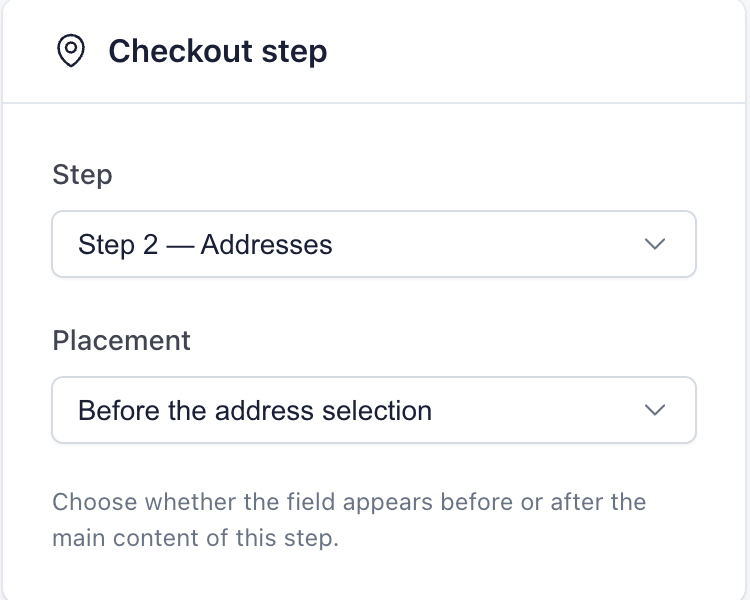
Place it on the Addresses step, before the address selection (Before the address selection). A customer already logged in to their account lands directly on this step, while the Personal Information step is skipped: placed there, the question is seen by every customer, above the button that moves on.
2. The company number field
Then create a Text field in the same place: “Company registration number”, required. In its Conditional display card, a single condition is enough. The field shows when the answer to “You are ordering as” is “Company”.
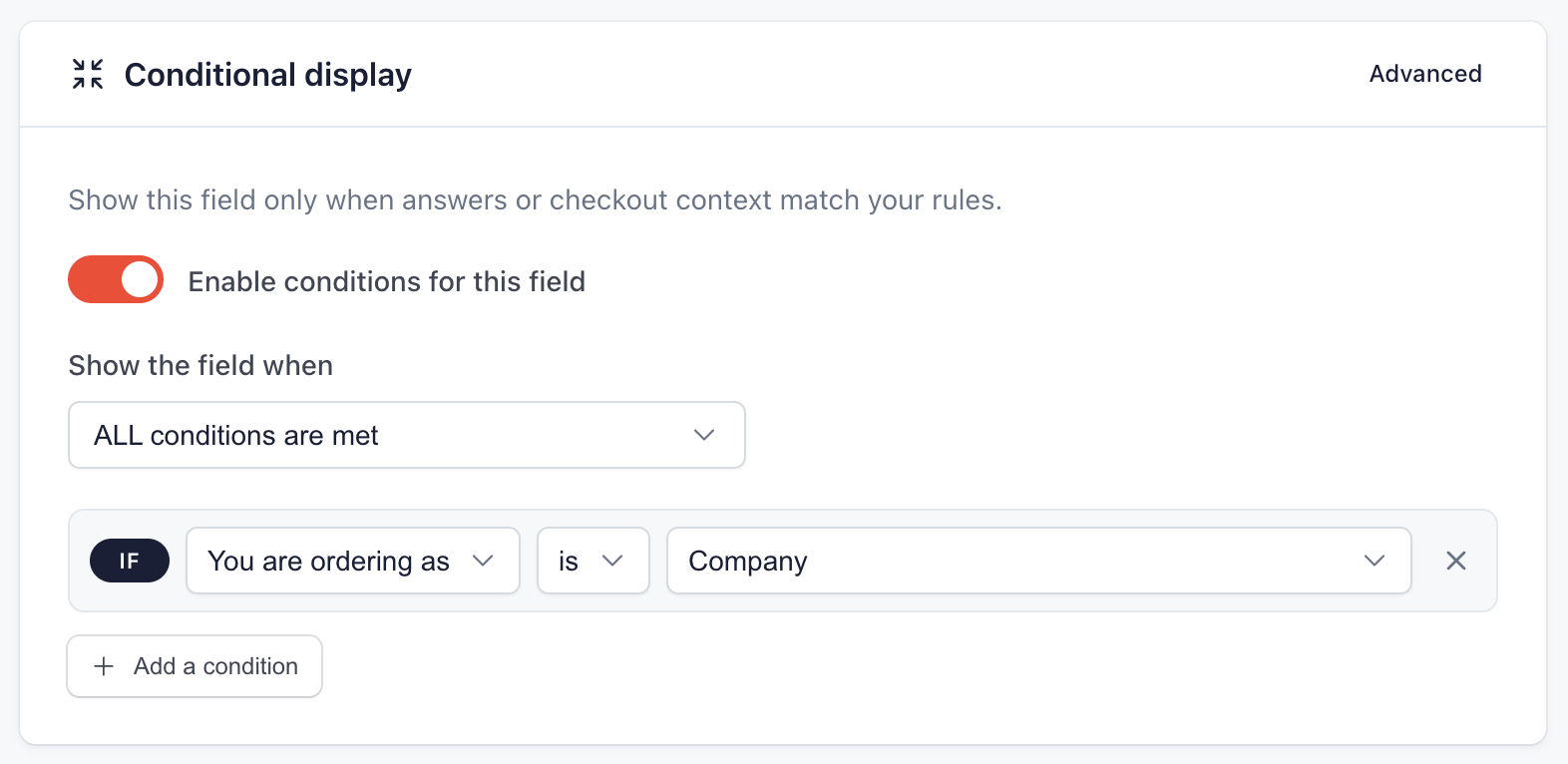
A field hidden by its condition is never required. A customer who answers “Individual” moves on without seeing the field, and the company number requirement does not block them. One who answers “Company” and leaves the number empty stays on the step, with the message “This field is required.”.
The VAT number is asked the same way, with a second Text field and the same condition, if you want to require it from companies: the screenshots show that case. The PrestaShop address form already has an optional box for this number, right below. If that box is enough for you, only create the company number field, so customers do not get two VAT boxes to fill in.
3. On the customer’s side
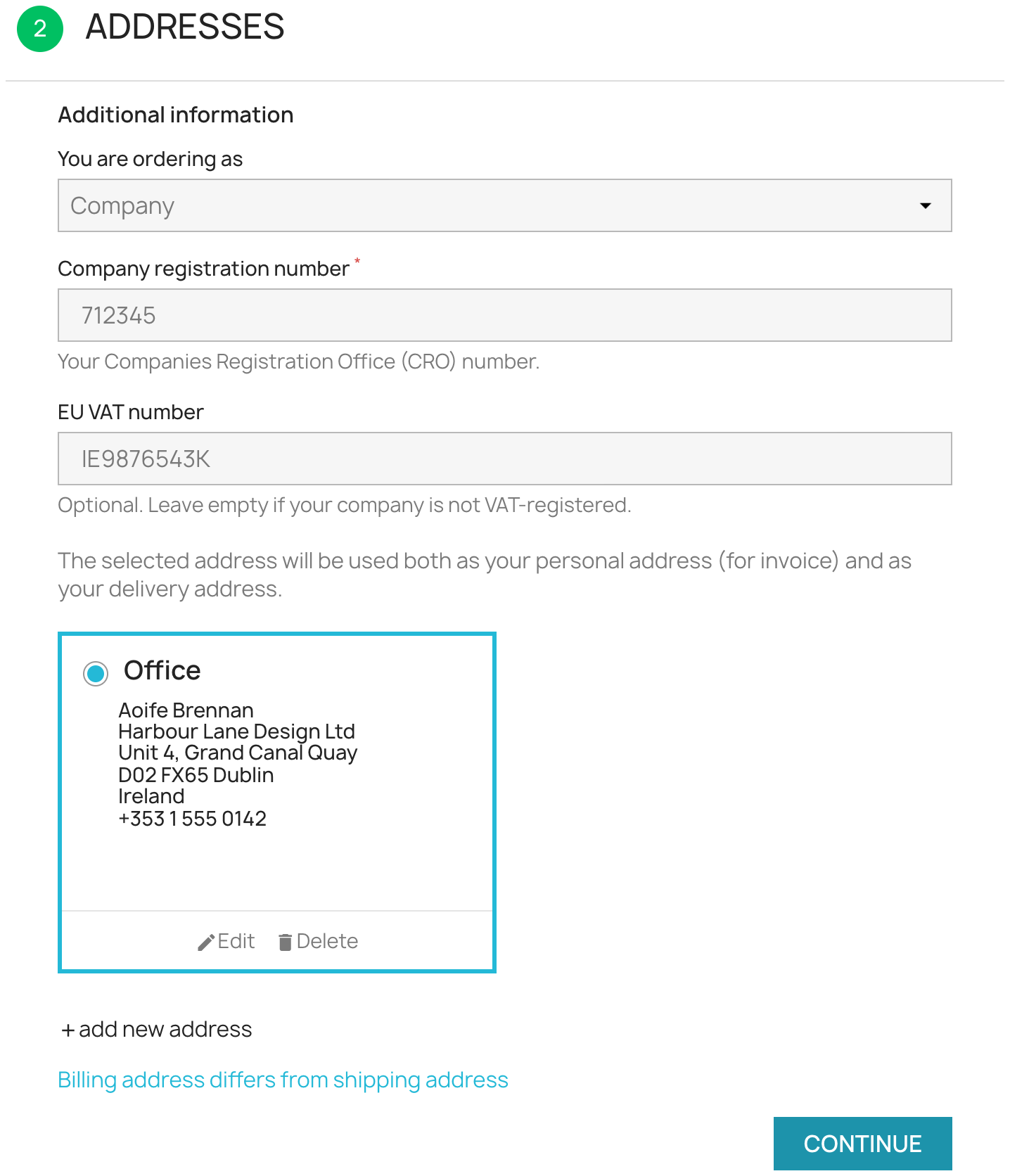
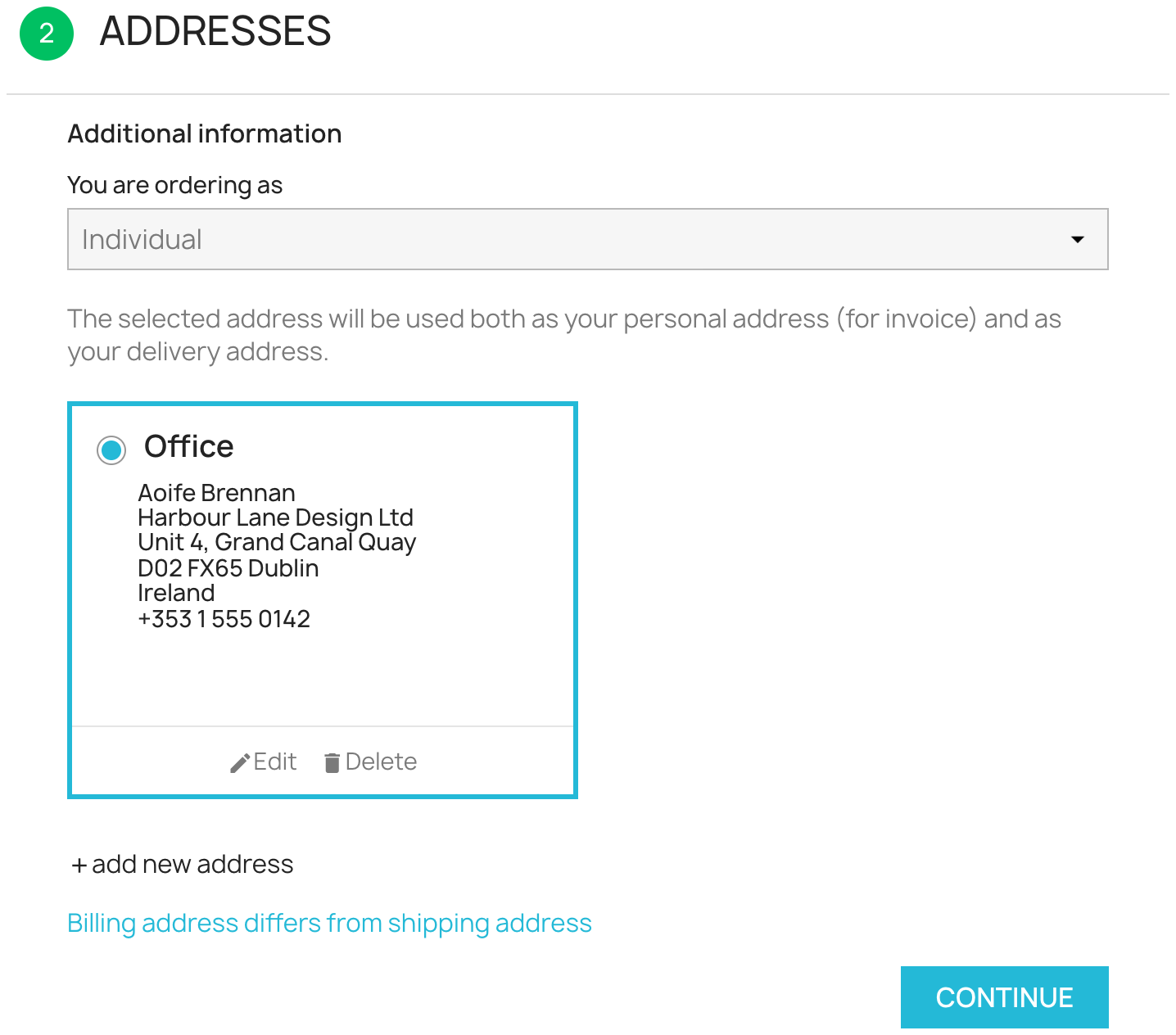
The fields appear under the question as soon as the customer picks “Company”, without reloading the page. If they change the answer, the fields disappear again:
4. The numbers in the back office and on the invoice
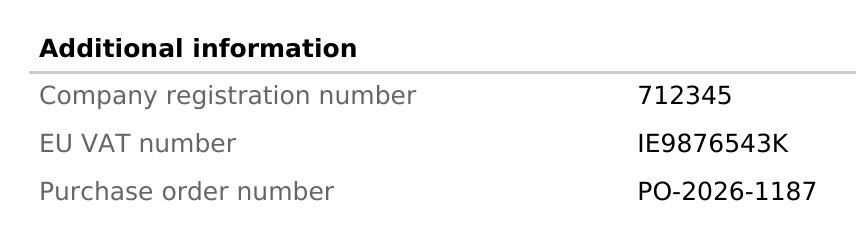
The answers show on the back-office order page, in the order emails and in the customer account. With the Pro plan, they are printed on the PDF invoice:
Limits of the company number field
- The module records the number as the customer types it. It checks neither that it exists in the French company register (INSEE) nor the VAT number in the European database.
- The answer is not carried over from one order to the next: a returning business customer types the number again.
- The field lives in the checkout, not in the account creation form.
To check an EU VAT number, the European Commission’s VIES service answers for free, one number at a time.
What the free plan allows
Without the Pro plan, the company number field can exist, but it shows to every customer. Making it required would block private customers, so it has to stay optional. The number remains visible on the order, in the emails sent and in the customer’s order history, but it is not printed on the PDF invoice, which needs the Pro plan. The module page compares both plans.
Key takeaways
- In France, a business customer’s SIREN becomes a mandatory invoice detail, from September 2026 for large and mid-sized companies, and in September 2027 for small businesses and micro-enterprises.
- An “Individual or Company” question on the Addresses step and one conditional field are enough to ask for the company number from companies only, logged in or not.
- Conditional display and the PDF invoice need the Pro plan of Easy Checkout Fields, at €2 a month.
- The module records the numbers without checking them.
To complete a business buyer’s journey, the purchase order number can be asked in the same checkout, with the same module.