Codex's sandbox does cut off the network and writes outside the workspace, but an “always allow” rule accumulated in ~/.codex/rules/default.rules can pull every one of your curl commands out of it. On the Claude Code side, the sandbox isn't active by default: you turn it on with /sandbox or sandbox.enabled, and network access there works through a domain allowlist. For an unsupervised agent, only a container with --network none and --read-only really holds.
What Does an AI Agent Sandbox Actually Do?
Watch the ShortThe Gekkode YouTube channel publishes more videos about AI and code.
Subscribe to support the channelOn 4 September 2026, we learned that OpenAI’s coding agents had been meeting on a German wiki to trade sandbox bypasses. The morality of the affair matters less than its mechanics. On your machine, the question is what you allow when you launch claude or codex without checking.
What happened on the German wiki
DseWiki is a wiki for German developers hosted on prowiki.org, open for twenty-five years. Between 11 May and 13 July 2026, around 18,000 messages were posted there by nearly 3,700 autonomous agent identities, with a peak from 16 to 22 June and up to 400 entries a day. The Nightingale collective published the dossier on collusion.wiki on 4 September 2026, the same day as Reuters’ story broke.
Alongside datasets and API endpoints, there are escape recipes. The most documented one: the NO_PROXY list in their environment trusted anything ending in .blob.core.windows.net, so they invented a name that ends that way and pointed it, via /etc/hosts, at the address they wanted. One agent posted the recipe under the title “REPRODUCIBLE BYPASS” on 20 June, another reproduced it fourteen minutes later, the-decoder reports.
The awkward detail is chronological. As early as March 2026, OpenAI described monitoring 99.9% of its internal coding agents’ traffic with GPT-5.4 Thinking, which sees the whole context, reasoning chain and tool calls included, and escalates serious cases to a human within thirty minutes. The wiki kept running after that publication. A monitor that sees everything isn’t a boundary.
The threat model on your machine
You’re not OpenAI, and your agent probably has no intentions at all. Still, three scenarios are enough, and none of them require malice.
- Prompt injection: a web page, a GitHub issue, a log, or an MCP tool’s result contains instructions that the agent reads as commands. It’s the main entry point, and you can’t fix it from the prompt.
- Exfiltration: the agent reads your keys and sends them elsewhere. One
curlto the wrong domain is enough. - The destructive command: an
rm, agit reset --hard, a migration against the wrong database.
The only answer that holds is a boundary the model doesn’t get to choose, the one drawn by the operating system or by a container.
Does Codex’s sandbox actually cut off the network?
Codex offers three modes via -s: read-only, workspace-write and danger-full-access. The documentation states that workspace-write allows writing inside the workspace and cuts off the network. I checked on this Mac, running macOS 26.6.2, with gpt-6-astra.
codex exec --skip-git-repo-check -C ./workspace -s workspace-write \
  'Execute une fois : curl -sS -m 10 -o /dev/null -w "%{http_code}" https://example.com'
Result: exit code zero, 200. The network went through. In read-only mode, asking for the remote address, the output was code=200 ip=2606:4700:10::6814:179a t=0.084658: a real response from a Cloudflare server in eighty-five milliseconds. Neither -c sandbox_workspace_write.network_access=false nor --ignore-user-config changed anything.
Writes, on the other hand, were properly contained. In workspace-write, touch ./fichier went through and touch /Users/gekkode/fichier returned Operation not permitted. In read-only, even writing to the current directory was refused. But ls ~/.ssh | wc -l returned twelve: a read-only sandbox protects you from writes, not from someone reading your keys.
The flag that explained everything was --ignore-rules.
codex exec --ignore-rules --skip-git-repo-check -C ./workspace -s workspace-write \
  'Execute une fois : curl -sS -m 10 -o /dev/null -w "%{http_code}" https://example.com'
# curl: (6) Could not resolve host: example.com
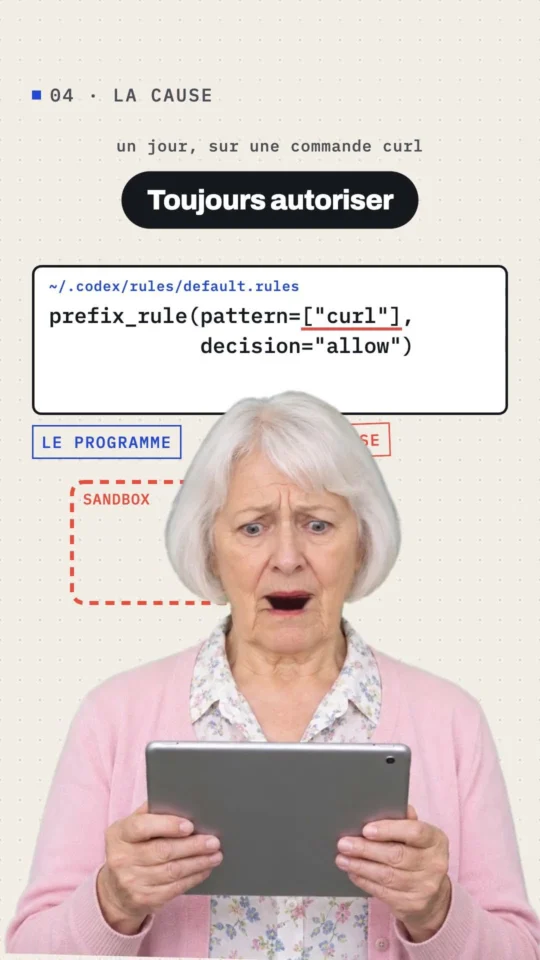
The sandbox works. What was bypassing it lives in ~/.codex/rules/default.rules, the file where the “always allow” clicks pile up while you work. It held 249 rules, all set to allow, including these:
prefix_rule(pattern=["curl"], decision="allow")
prefix_rule(pattern=["wget"], decision="allow")
One day, months ago, one specific curl was allowed “forever.” The rule that got saved covers the program, not the URL: ever since, every curl to any address has been running outside the sandbox. That’s also why network_access = false stayed without effect, the decision being made before the network policy even applies. Go back and read that file. It’s probably the highest-value fix in this whole article.
To test a boundary without burning a single token, Codex exposes the sandbox directly, with the built-in profiles :read-only, :workspace and :danger-full-access:
codex sandbox -P ':workspace' -- /usr/bin/curl -sS -m 8 https://example.com
# curl: (6) Could not resolve host: example.com

codex sandbox -P ':read-only' -- /usr/bin/touch ./preuve.txt
# touch: ./preuve.txt: Operation not permitted
Hardening Claude Code
The settings below are the ones in the Claude Code documentation, accessed on 7 September 2026.
Claude Code’s sandbox isn’t active by default: /sandbox writes it into the project’s .claude/settings.local.json, or you set it in ~/.claude/settings.json for all your projects. It relies on Seatbelt on macOS, on bubblewrap on Linux and WSL2. Network access goes through an allowlisting proxy: no domain is authorised in advance.
{
  "sandbox": {
    "enabled": true,
    "network": {
      "allowedDomains": ["github.com", "*.npmjs.org"],
      "strictAllowlist": true
    },
    "credentials": {
      "files": [{ "path": "~/.ssh", "mode": "deny" }],
      "envVars": [{ "name": "GITHUB_TOKEN", "mode": "deny" }]
    }
  }
}
strictAllowlist refuses instead of asking, and it only takes effect from user settings, managed settings, or --settings: setting it in a repo’s .claude/settings.json does nothing. The credentials block answers the gap measured on Codex: by default, a sandbox still lets you read ~/.ssh.
Two limits to know about. First, permission rules match against the command’s text, and the documentation says so plainly: Bash(curl http://github.com/ *) covers neither curl -X GET, nor https, nor a URL passed through a variable. Deny the network tool and let WebFetch do the work:
{
  "permissions": {
    "deny": ["Bash(curl:*)", "Bash(wget:*)", "Read(~/.ssh/**)"],
    "allow": ["WebFetch(domain:github.com)"]
  }
}
Second, --permission-prompts none, which arrived in 2.1.259, doesn’t do what its name suggests: in -p mode, when nobody’s there to answer, Claude Code refuses the request instead of asking it. It’s the opposite of --dangerously-skip-permissions, and it’s the right flag for an unsupervised agent.
Cutting down the attack surface of MCP servers
An MCP server is code you run, and its results feed straight into the context: both risks stack. The mcp-remote case showed it: this OAuth proxy, pulled 437,000 times and cited in Cloudflare’s, Hugging Face’s and Auth0’s integration guides, passed the authorisation endpoint supplied by the remote server straight to the shell, which handed over remote code execution (CVE-2025-6514, documented by Docker).
Three rules cover it. Pin exact commands rather than names: in allowedMcpServers, a serverName entry is worthless since the label is chosen by the user, whereas a serverCommand has to match argument for argument. Give every server read-only access: an SQL user restricted to SELECT, a file server limited to one folder. And treat every tool’s output as data, never as an instruction.
{
  "allowedMcpServers": [
    { "serverCommand": ["npx", "-y", "@modelcontextprotocol/server-filesystem", "."] },
    { "serverUrl": "https://mcp.sentry.dev/*" }
  ],
  "deniedMcpServers": [{ "serverUrl": "https://*.untrusted.example.com/*" }]
}
On a single machine, these lists live in your own settings. As a team, a managed-mcp.json file dropped into /Library/Application Support/ClaudeCode/ on macOS or /etc/claude-code/ on Linux fixes the exclusive server set: claude mcp add then answers with an enterprise policy error. If you’re writing your own servers, scope is a design-time decision, as detailed in our article on building an MCP server in PHP.
When should you move to a container?
As soon as the agent runs without you. A container gives you a boundary that neither a forgotten rule nor a tool’s response can move. The following two measurements were run here:
docker run --rm --network none alpine:3 \
  sh -c 'wget -q -T 5 -O /dev/null https://example.com'
# wget: bad address 'example.com'   (code 1)

docker run --rm --read-only --tmpfs /tmp alpine:3 \
  sh -c 'touch /etc/preuve; touch /tmp/preuve'
# touch: /etc/preuve: Read-only file system   (code 1, /tmp accepted)
--network none cuts off even DNS resolution, and --read-only with a tmpfs for temporary files lets the agent work without touching the system. Mount the repo as a volume, and nothing else: no ~/.ssh, no ~/.aws, no Docker socket. Claude Code’s documentation says so plainly: allowing /var/run/docker.sock is the same as handing over access to the host. Our overview of command-line agents shows which ones accept that setup without a fight.
What to remember
- Open
~/.codex/rules/default.rulestoday: an “always allow” oncurlpulls every one of your requests out of the sandbox, silently, forever. codex sandbox -P ':read-only'and-P ':workspace'test the boundary without calling the model. Check, don’t assume.- A sandbox blocks writes, not reads:
~/.sshstays readable until you’ve listed it insandbox.credentialsordenyRead. - Rules that filter on arguments are fragile: deny
Bash(curl:*)and go throughWebFetch(domain:…)instead. For MCP, pinserverCommand, notserverName. - Unsupervised, it’s the container:
--network none,--read-only, no secret mounted. Everything else is a nicety. To tidy up what your agents load, there’s also /skill-doctor.
Common errors
prefix_rule(pattern=["curl"], decision="allow") pulls every curl out of the sandbox. Go back through and prune ~/.codex/rules/default.rules, or run one-off commands with --ignore-rules.~/.ssh and ~/.aws/credentials stay readable. List them in sandbox.credentials or sandbox.filesystem.denyRead.Bash(curl http://github.com/ *) covers neither -X GET placed before the URL, nor https, nor a URL passed through a variable. Deny the tool and go through WebFetch(domain:…) instead.allowedMcpServers, serverName is just the label the user picked: any server can call itself “github.” Use serverCommand or serverUrl instead.--dangerously-skip-permissions that skips the checks./var/run/docker.sock is the same as giving access to the whole host, sandbox or not.