An MCP server is a service that exposes tools to an AI agent over JSON-RPC 2.0, described by a schema the client reads at runtime with tools/list. In PHP, it fits in a 380-line file: a POST /mcp route, a bearer token, and one function per tool. Watch out, the 2026-07-28 revision drops the initialize handshake, but Codex and MCP Inspector 2.5.0 still use it: your server has to handle both.
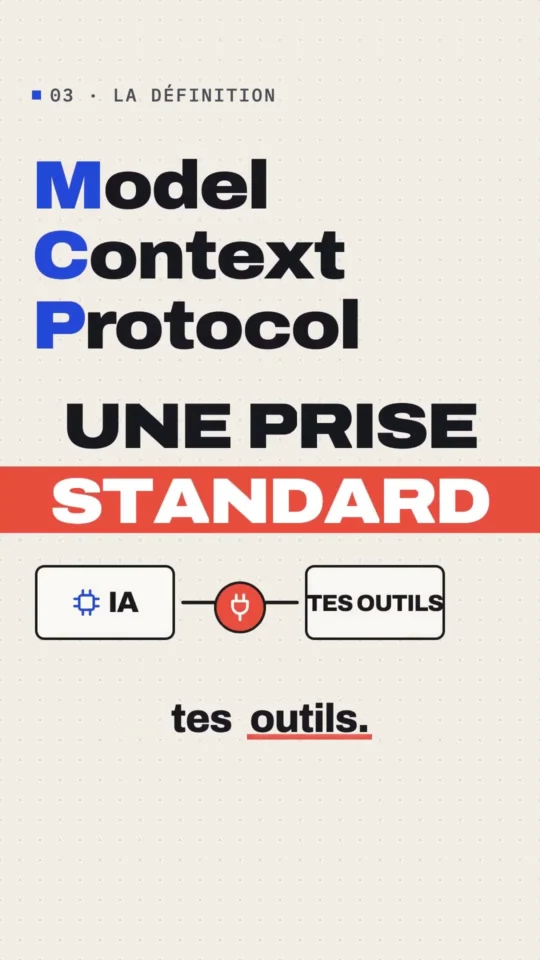
What Is MCP? The Connector Between Your AI and Your Tools
Watch the ShortThe Gekkode YouTube channel publishes more videos about AI and code.
Subscribe to support the channelYou’ve got an internal API, a product catalogue, or a logs database, and you’d like Claude Code or Codex to use it directly instead of asking you for copy-pasted snippets. That’s a job for an MCP server, and it fits in a single PHP file: the one in this tutorial runs 380 lines, with no Composer, no framework, and no dependency beyond PHP 8.
What exactly is an MCP server?
The Model Context Protocol is an open protocol that standardises how an AI application connects to outside data and tools. The specification distinguishes three roles: hosts, the applications that start connections. Clients, the connectors living inside the host. Servers, the services that supply context and capabilities. Messages are JSON-RPC 2.0.
A server can offer three things: resources (context and data), prompts (message templates), and tools (functions the model runs). We’re only implementing tools here, because that’s what covers most cases, and because it’s the part you can test with curl.
MCP or REST API: what actually changes?
MCP doesn’t replace REST, it adds a description layer on top of it. Here’s what actually differs.
| Point | Classic REST API | MCP server |
|---|---|---|
| Discovery | Documentation to read, an OpenAPI file to load | tools/list returns each tool’s JSON schema, at runtime |
| Caller | Code you write | The model, which picks the tool from its description |
| Format | Whatever you want | JSON-RPC 2.0, mandatory |
| Errors | HTTP codes | Two families: protocol errors and tool execution errors |
| Integration | One adapter per client | One server, every compatible agent |
That last point is the only one that really matters. Write an MCP server once and it plugs into Claude Code, into Codex, into the Inspector, and into the rest of the ecosystem’s clients without a single line of adaptation. It’s the same promise skills make, whose format we cover in detail in our guide to the SKILL.md file.
Why your server needs to speak two dialects
This is the trap in this tutorial, and it’s better to lay it out right away. The specification’s 2026-07-28 revision, published on 28 July 2026 by David Soria Parra and Den Delimarsky, dropped the handshake. No more initialize, no more notifications/initialized notification, no more Mcp-Session-Id header. Every request now carries its own protocol version and the client’s identity in a _meta field, and the server can be replicated with no shared state.
The other changes in that same revision hit the HTTP transport directly:
- the endpoint no longer accepts anything but
POST, theGETstream and the end-of-sessionDELETEare both gone, - a
server/discovermethod replaces discovery, and servers are required to implement it. Mcp-MethodandMcp-Nameheaders mirror fields from the body, so a load balancer can route without reading the JSON.- list responses carry
ttlMsandcacheScopeso they can be cached.
On paper, then, it should be enough to write a 2026-07-28 server. Except I logged the opening method and the User-Agent header of every client that connected to my server on 7 September 2026, and here’s what I saw.
| Client | User-Agent | Opens with | Version announced |
|---|---|---|---|
| Codex | codex-mcp-client/0.153.4 | initialize | 2025-06-18 |
| MCP Inspector 2.5.0 | node | initialize | 2025-11-25 |
Neither one sent a server/discover, and neither put _meta in its requests. A server that only spoke the July revision would be unusable with these clients today. The specification planned for this: it calls an implementation that handles both dual-era, and explicitly allows a server to serve both eras on the same endpoint. That’s what we’re going to do, and it costs about ten lines.
The skeleton: one file, one route
The demo server is called regexlab and exposes two tools: regex_test, which tests a regular expression against examples, and blog_search, which queries gekkode.com’s public REST API, read-only. We run it with PHP’s built-in web server.
cd docker/articles/2026-09-07/lab/creer-serveur-mcp-php
MCP_TOKEN=demo-token-local php -S 127.0.0.1:8765 mcp.php
We start with two wrapper functions. Every output goes through them, which guarantees that no response ever goes out without an explicit HTTP code.
<?php
declare(strict_types=1);

const SERVER_NAME = 'regexlab';
const SERVER_VERSION = '0.1.0';
const SUPPORTED_VERSIONS = ['2026-07-28', '2025-11-25', '2025-06-18'];
const ALLOWED_ORIGINS = ['http://127.0.0.1:8765', 'http://localhost:8765'];

function send(int $status, ?array $payload = null): never
{
    http_response_code($status);
    if ($payload === null) {
        exit;
    }
    header('Content-Type: application/json');
    echo json_encode($payload, JSON_UNESCAPED_SLASHES | JSON_UNESCAPED_UNICODE), "\n";
    exit;
}

function fail(int $status, int $code, string $message, mixed $id = null, ?array $data = null): never
{
    $error = ['code' => $code, 'message' => $message];
    if ($data !== null) {
        $error['data'] = $data;
    }
    send($status, ['jsonrpc' => '2.0', 'id' => $id, 'error' => $error]);
}
Next comes the front door: HTTP method, path, origin, token. Four checks, and the return codes the specification requires.
function header_value(string $name): ?string
{
    $key = 'HTTP_' . strtoupper(str_replace('-', '_', $name));
    return isset($_SERVER[$key]) ? trim((string) $_SERVER[$key]) : null;
}

// GET and DELETE are no longer part of the 2026-07-28 revision.
if (($_SERVER['REQUEST_METHOD'] ?? '') !== 'POST') {
    header('Allow: POST');
    send(405, ['jsonrpc' => '2.0', 'error' => ['code' => -32600, 'message' => 'Use POST on /mcp']]);
}

if (parse_url($_SERVER['REQUEST_URI'] ?? '/', PHP_URL_PATH) !== '/mcp') {
    fail(404, -32601, 'Unknown endpoint');
}

// Origin: defence against DNS rebinding, 403 required by the specification.
$origin = header_value('Origin');
if ($origin !== null && !in_array($origin, ALLOWED_ORIGINS, true)) {
    fail(403, -32600, 'Origin not allowed');
}

// Bearer token.
$expected = getenv('MCP_TOKEN') ?: '';
if ($expected !== '') {
    $sent = (string) preg_replace('/^Bearer\s+/i', '', header_value('Authorization') ?? '');
    if (!hash_equals($expected, $sent)) {
        header('WWW-Authenticate: Bearer realm="regexlab"');
        fail(401, -32001, 'Unauthorized');
    }
}
Validating the Origin header isn’t decorative. The specification classes it as a MUST and requires a 403, precisely because without it, a web page open in your browser can, through DNS rebinding, talk to the MCP server running on your machine. Let’s check all three gates:
curl -s -o /dev/null -w "%{http_code}\n" http://127.0.0.1:8765/mcp
curl -s -o /dev/null -w "%{http_code}\n" -X POST http://127.0.0.1:8765/mcp \
  -H 'Origin: https://evil.example' -d '{"jsonrpc":"2.0","id":1,"method":"tools/list"}'
curl -s -X POST http://127.0.0.1:8765/mcp -H 'Content-Type: application/json' \
  -H 'MCP-Protocol-Version: 2026-07-28' -H 'Mcp-Method: server/discover' \
-d '{"jsonrpc":"2.0","id":1,"method":"server/discover","params":{}}'405
403
{"jsonrpc":"2.0","id":null,"error":{"code":-32001,"message":"Unauthorized"}}Reading the request and spotting the era
The body is JSON-RPC. Three pieces of information come out of it: the method, the parameters, the id. The presence of io.modelcontextprotocol/protocolVersion in _meta is enough to tell whether the client is modern.
$raw = file_get_contents('php://input') ?: '';
try {
    $req = json_decode($raw, true, 32, JSON_THROW_ON_ERROR);
} catch (JsonException) {
    fail(400, -32700, 'Parse error');
}
if (!is_array($req) || !isset($req['method'])) {
    fail(400, -32600, 'Invalid Request');
}

$method = (string) $req['method'];
$params = is_array($req['params'] ?? null) ? $req['params'] : [];
$id = $req['id'] ?? null;

$meta = is_array($params['_meta'] ?? null) ? $params['_meta'] : [];
$bodyVersion = $meta['io.modelcontextprotocol/protocolVersion'] ?? null;
$modern = is_string($bodyVersion);

error_log(sprintf(
    '[mcp] %s | version=%s | agent=%s',
    $method,
    is_string($bodyVersion) ? $bodyVersion : ($params['protocolVersion'] ?? '-'),
    $_SERVER['HTTP_USER_AGENT'] ?? '-'
));

// A notification has no id: we acknowledge it and stop there.
if (!array_key_exists('id', $req)) {
    send(202, null);
}
The error_log call above is what let me put together the client table earlier. PHP’s built-in server writes to standard error, so the log shows up in the terminal that launched it. Keep these in throughout development.
Notification handling deserves a word. A JSON-RPC notification is a message with no id: the client isn’t waiting for a reply. The specification is categorical, the server must respond 202 Accepted with no body. That’s the path legacy clients’ notifications/initialized takes.
curl -s -o /dev/null -w "status=%{http_code} octets=%{size_download}\n" \
  -X POST http://127.0.0.1:8765/mcp -H 'Authorization: Bearer demo-token-local' \
  -H 'Content-Type: application/json' \
-d '{"jsonrpc":"2.0","method":"notifications/initialized"}'status=202 octets=0Why this server only ever returns JSON
A word on the response format, because it’s a choice, not an obligation. Faced with a request, the server can reply with either a single object in Content-Type: application/json, or an SSE stream in text/event-stream, scoped to that request, carrying notifications ahead of the final response. The client, for its part, has to be able to read both: that’s why it systematically sends the Accept: application/json, text/event-stream header.
This server sticks to JSON. It’s the simplest option, and it’s enough as long as no tool needs to report on its own progress. The stream becomes necessary in two cases: a long-running tool that wants to emit notifications/progress while it works, and the subscriptions/listen request, whose response stays open to carry list changes. When that day comes, the 2026-07-28 revision treats the client closing the stream as the signal to cancel the request, and recommends the X-Accel-Buffering: no header so nginx doesn’t buffer the events.
Validating the mirror headers
This is the part most specific to the 2026-07-28 revision, and the one people forget. When a modern client posts a request, it must mirror three values from the body into headers: MCP-Protocol-Version, Mcp-Method, and Mcp-Name for a tools/call. The server has to check that the header and the body agree, and reject with 400 and error code -32020 if they don’t.
The reason is a classic flaw: if a load balancer routes based on the header while the server executes based on the body, a malicious client can pass one call off as another. The specification calls this error HeaderMismatch.
if ($modern) {
    $headerVersion = header_value('MCP-Protocol-Version');
    if ($headerVersion !== $bodyVersion) {
        fail(400, -32020, sprintf(
            'Header mismatch: MCP-Protocol-Version %s does not match body value %s',
            var_export($headerVersion, true),
            var_export($bodyVersion, true)
        ), $id);
    }
    if (header_value('Mcp-Method') !== $method) {
        fail(400, -32020, 'Header mismatch: Mcp-Method', $id);
    }
    if ($method === 'tools/call' && header_value('Mcp-Name') !== ($params['name'] ?? null)) {
        fail(400, -32020, 'Header mismatch: Mcp-Name', $id);
    }
    if (!in_array($bodyVersion, SUPPORTED_VERSIONS, true)) {
        fail(400, -32022, 'Unsupported protocol version', $id, [
            'supported' => SUPPORTED_VERSIONS,
            'requested' => $bodyVersion,
        ]);
    }
}
A test that lies about Mcp-Name: the header announces blog_search, the body asks for regex_test.
curl -s -X POST http://127.0.0.1:8765/mcp \
  -H 'Authorization: Bearer demo-token-local' -H 'Content-Type: application/json' \
  -H 'MCP-Protocol-Version: 2026-07-28' -H 'Mcp-Method: tools/call' \
  -H 'Mcp-Name: blog_search' \
-d '{"jsonrpc":"2.0","id":5,"method":"tools/call","params":{"name":"regex_test","arguments":{"pattern":"a","subjects":["a"]},"_meta":{"io.modelcontextprotocol/protocolVersion":"2026-07-28"}}}'{"jsonrpc":"2.0","id":5,"error":{"code":-32020,"message":"Header mismatch: Mcp-Name"}}And a version the server doesn’t recognise. The specification requires responding with -32022, listing the accepted versions, so the client can retry without human intervention.
{
  "jsonrpc": "2.0",
  "id": 6,
  "error": {
    "code": -32022,
    "message": "Unsupported protocol version",
    "data": {
      "supported": ["2026-07-28", "2025-11-25", "2025-06-18"],
      "requested": "1900-01-01"
    }
  }
}
Answering discovery, on both sides
This is what makes the server dual-era: one case for initialize, one for server/discover, and both return the same capabilities in two different wrappers. The first one is the roughly ten lines it costs to stay compatible.
switch ($method) {
    // Legacy handshake (2025-11-25 and earlier revisions).
    case 'initialize':
        $asked = (string) ($params['protocolVersion'] ?? '2025-11-25');
        ok($id, [
            'protocolVersion' => in_array($asked, SUPPORTED_VERSIONS, true) ? $asked : '2025-11-25',
            'capabilities' => ['tools' => ['listChanged' => false]],
            'serverInfo' => ['name' => SERVER_NAME, 'version' => SERVER_VERSION],
            'instructions' => 'regex_test teste une expression régulière ; blog_search interroge gekkode.com.',
        ]);

    // Stateless discovery (2026-07-28 revision).
    case 'server/discover':
        ok($id, [
            'resultType' => 'complete',
            'supportedVersions' => SUPPORTED_VERSIONS,
            'capabilities' => ['tools' => ['listChanged' => false]],
            '_meta' => ['io.modelcontextprotocol/serverInfo' => [
                'name' => SERVER_NAME,
                'version' => SERVER_VERSION,
            ]],
            'instructions' => 'regex_test teste une expression régulière ; blog_search interroge gekkode.com.',
            'ttlMs' => 3600000,
            'cacheScope' => 'public',
        ]);

    default:
        fail($modern ? 404 : 200, -32601, 'Method not found: ' . $method, $id);
}
Two details not to miss. serverInfo moves around: it sits at the root of the result in legacy mode, and under _meta['io.modelcontextprotocol/serverInfo'] in 2026-07-28. And an unknown method isn’t handled the same way: in modern mode, the specification calls for a 404 Not Found paired with a -32601, because the JSON-RPC body is what tells this case apart from the 404 of an old server that doesn’t even host the endpoint.
Here’s the actual reply to server/discover:
curl -s -X POST http://127.0.0.1:8765/mcp \
  -H 'Authorization: Bearer demo-token-local' -H 'Content-Type: application/json' \
  -H 'Accept: application/json, text/event-stream' \
  -H 'MCP-Protocol-Version: 2026-07-28' -H 'Mcp-Method: server/discover' \
-d '{"jsonrpc":"2.0","id":"d1","method":"server/discover","params":{"_meta":{"io.modelcontextprotocol/protocolVersion":"2026-07-28","io.modelcontextprotocol/clientInfo":{"name":"curl","version":"8.7.1"},"io.modelcontextprotocol/clientCapabilities":{}}}}'{"jsonrpc":"2.0","id":"d1","result":{"resultType":"complete","supportedVersions":["2026-07-28","2025-11-25","2025-06-18"],"capabilities":{"tools":{"listChanged":false}},"_meta":{"io.modelcontextprotocol/serverInfo":{"name":"regexlab","version":"0.1.0"}},"instructions":"regex_test teste une expression régulière ; blog_search interroge gekkode.com.","ttlMs":3600000,"cacheScope":"public"}}And the one to initialize, as Codex receives it:
{
  "jsonrpc": "2.0",
  "id": 0,
  "result": {
    "protocolVersion": "2025-11-25",
    "capabilities": {"tools": {"listChanged": false}},
    "serverInfo": {"name": "regexlab", "version": "0.1.0"},
    "instructions": "regex_test teste une expression régulière ; blog_search interroge gekkode.com."
  }
}
Describing the tools: tools/list
A tool is a name, a description, and an input JSON schema. The description is what the model reads to decide whether to call the tool: write it for the model, not for a developer. outputSchema is optional but recommended, it lets the client validate what you send back.
[
    'name' => 'regex_test',
    'title' => 'Testeur d\'expression régulière',
    'description' => 'Teste une expression régulière PCRE sur une liste de chaînes et retourne, '
        . 'pour chacune, si elle correspond et les groupes capturés.',
    'inputSchema' => [
        'type' => 'object',
        'properties' => [
            'pattern' => ['type' => 'string', 'description' => 'Motif PCRE, sans délimiteurs.'],
            'flags' => ['type' => 'string', 'description' => 'Modificateurs parmi i, m, s, x, u.'],
            'subjects' => [
                'type' => 'array',
                'items' => ['type' => 'string'],
                'description' => 'Chaînes à tester (20 au maximum).',
            ],
        ],
        'required' => ['pattern', 'subjects'],
        'additionalProperties' => false,
    ],
]
The reply to tools/list adds resultType, plus the two cache fields introduced by the July revision.
case 'tools/list':
    ok($id, [
        'resultType' => 'complete',
        'tools' => tool_definitions(),
        'ttlMs' => 300000,
        'cacheScope' => 'public',
    ]);
Three naming rules to respect: a tool’s name has to be between 1 and 128 characters, stick to ASCII letters, digits, _, - and ., and be unique within the server. Spaces and commas are forbidden.
Running a tool: tools/call and its two families of errors
An MCP server’s quality is decided here, and plenty of tutorials miss it. The specification distinguishes two error-reporting mechanisms, and mixing them up costs the model extra round trips:
- a protocol error (unknown tool, malformed request) is a plain JSON-RPC error, the model has little chance of working its own way out of it,
- an execution error (out-of-range argument, API down, invalid date) gets returned in a normal result with
isError: true, and the client has to hand it to the model so it can correct itself.
The regex tester is a textbook case: a badly written pattern needs to come back to the model with PCRE’s message, not with a “500 error.”
function run_regex_test(array $args): array
{
    $pattern = (string) ($args['pattern'] ?? '');
    $flags = (string) ($args['flags'] ?? '');
    $subjects = is_array($args['subjects'] ?? null) ? array_values($args['subjects']) : [];

    if ($pattern === '' || strlen($pattern) > 512) {
        return tool_error('Le motif doit faire entre 1 et 512 caractères.');
    }
    if ($flags !== '' && !preg_match('/^[imsxu]{1,5}$/', $flags)) {
        return tool_error('Modificateurs acceptés : i, m, s, x, u.');
    }
    if ($subjects === [] || count($subjects) > 20) {
        return tool_error('Fournissez entre 1 et 20 chaînes à tester.');
    }

    // We escape unprotected delimiters rather than accept a pattern that's already delimited.
    $delimited = '/' . preg_replace('~(?<!\\\\)/~', '\\/', $pattern) . '/' . $flags;
    $compileError = null;
    set_error_handler(static function (int $no, string $msg) use (&$compileError): bool {
        $compileError = $msg;
        return true;
    });
    $compiles = preg_match($delimited, '');
    restore_error_handler();
    if ($compiles === false) {
        // PCRE's message says where the pattern breaks: the model can fix it on its own.
        return tool_error('Motif invalide : ' . ($compileError ?? preg_last_error_msg()));
    }
    // …
}
Two precautions in these few lines. We never accept a pattern that’s already delimited, we add the delimiters ourselves, escaping any unprotected /. Accepting /pattern/flags as-is would let the caller choose the modifiers, which the upstream validation forbids. And the temporary error handler captures PCRE’s exact message, where preg_last_error_msg() settles for a terse “Internal error.”
The difference shows up on the call. A pattern with a missing parenthesis:
{
  "jsonrpc": "2.0",
  "id": 8,
  "result": {
    "resultType": "complete",
    "content": [
      {
        "type": "text",
        "text": "Motif invalide : preg_match(): Compilation failed: missing closing parenthesis at offset 7"
      }
    ],
    "isError": true
  }
}
A model that receives this text closes the parenthesis and calls the tool again. Had it received a JSON-RPC error instead, its odds of recovering would have been much lower: the specification notes that protocol errors rarely lead to a correction.
There’s still a risk specific to regular expressions: combinatorial explosion. A pattern like (a+)+$ against a string of thirty-six “a”s followed by a “b” ties up the CPU for a very long time. The fix is one line at the top of the file, ini_set('pcre.backtrack_limit', '200000');, plus a check on what preg_match returns.
{
  "jsonrpc": "2.0",
  "id": 9,
  "result": {
    "resultType": "complete",
    "content": [{"type": "text", "text": "Échec du moteur PCRE : Backtrack limit exhausted"}],
    "isError": true
  }
}
A successful call now, with its structuredContent matching the declared outputSchema:
curl -s -X POST http://127.0.0.1:8765/mcp \
  -H 'Authorization: Bearer demo-token-local' -H 'Content-Type: application/json' \
  -H 'MCP-Protocol-Version: 2026-07-28' -H 'Mcp-Method: tools/call' \
  -H 'Mcp-Name: regex_test' \
-d '{"jsonrpc":"2.0","id":3,"method":"tools/call","params":{"name":"regex_test","arguments":{"pattern":"^([A-Z]{2})-(\\d{4})$","subjects":["FR-2026","fr-2026","XX-12"]},"_meta":{"io.modelcontextprotocol/protocolVersion":"2026-07-28"}}}'{
"jsonrpc": "2.0",
"id": 3,
"result": {
"resultType": "complete",
"content": [
{
"type": "text",
"text": "1 correspondance(s) sur 3 chaîne(s).\nOUI FR-2026 -> FR | 2026\nNON fr-2026\nNON XX-12"
}
],
"structuredContent": {
"pattern": "^([A-Z]{2})-(\\d{4})$",
"matches": 1,
"results": [
{"subject": "FR-2026", "matched": true, "groups": ["FR", "2026"]},
{"subject": "fr-2026", "matched": false, "groups": []},
{"subject": "XX-12", "matched": false, "groups": []}
]
},
"isError": false
}
}Notice that the readable text is there in addition to the structured content. The specification explicitly recommends this: a tool that returns structured content should also supply the serialised version in a text block, for clients that only read content.
The second tool: querying a read-only API
blog_search shows the most common case in a company setting: exposing a service that already exists. The host is hardcoded, the method is a GET, and no parameter from the caller can build an arbitrary URL.
function run_blog_search(array $args): array
{
    $query = trim((string) ($args['query'] ?? ''));
    $limit = max(1, min(5, (int) ($args['limit'] ?? 3)));
    if ($query === '' || mb_strlen($query) > 120) {
        return tool_error('La requête doit faire entre 1 et 120 caractères.');
    }

    $url = BLOG_API . '?' . http_build_query([
        'search' => $query,
        'per_page' => $limit,
        'orderby' => 'relevance',
        '_fields' => 'id,date,link,title',
    ]);
    $context = stream_context_create(['http' => [
        'method' => 'GET',
        'timeout' => 8,
        'header' => "Accept: application/json\r\nUser-Agent: regexlab-mcp/0.1\r\n",
        'ignore_errors' => true,
    ]]);
    $body = @file_get_contents($url, false, $context);
    if ($body === false) {
        return tool_error('API du blog injoignable.');
    }
    // …
}
WordPress’s REST API _fields parameter does a lot of the work here: it trims the response down to the four fields that matter, and with it the tokens billed once it lands in the model’s context. It’s the same reflex described in our article on cutting tokens, applied to the server rather than the client. Result of the call:
2024-08-11 — Les 10 meilleurs packages Laravel pour créer votre site web
Les 10 meilleurs packages Laravel pour créer votre site web

2023-02-03 — Comment installer Redis sur Debian et Laravel
https://www.gekkode.com/developpement/comment-installer-redis-sur-debian-et-laravel/
Connecting the server to Codex
Codex reads its MCP servers from ~/.codex/config.toml, but the -c option lets you declare one for a single run, without writing anything to disk. Ideal for a test, and that is how the server was checked here.
export REGEXLAB_TOKEN=demo-token-local

codex exec \
  -c 'mcp_servers.regexlab.url="http://127.0.0.1:8765/mcp"' \
  -c 'mcp_servers.regexlab.bearer_token_env_var="REGEXLAB_TOKEN"' \
  -c 'mcp_servers.regexlab.default_tools_approval_mode="approve"' \
  -m gpt-6-astra --skip-git-repo-check \
"Utilise UNIQUEMENT l'outil MCP regexlab.regex_test. Teste le motif ^([A-Z]{2})-(\d{4})\$ sur les chaînes FR-2026, fr-2026 et XX-12."codex
Je vais tester ce motif sur les trois chaînes avec l'outil demandé.
mcp: regexlab/regex_test started
mcp: regexlab/regex_test (completed)
codex
Il y a 1 correspondance sur 3 : « FR-2026 », avec les groupes capturés « FR » et « 2026 ».
tokens used
9 342The third -c is the one that cost me two attempts. Without it, Codex connects to the server, lists the tools, and refuses the call with an unambiguous message:
mcp: regexlab/regex_test started
mcp: regexlab/regex_test (failed)
MCP tool call requires approval, but approval policy is never
In exec mode, the approval policy is never and no human is there to approve anything. The default_tools_approval_mode key accepts four values, auto, prompt, writes and approve, only the last one lets the call through with no intervention. Reserve it for servers you wrote yourself, for the reasons detailed in our article on sandboxes and permissions.
For a permanent install, the official command writes the same thing into the configuration:
codex mcp add regexlab --url http://127.0.0.1:8765/mcp \
  --bearer-token-env-var REGEXLAB_TOKEN
codex mcp list
codex mcp get regexlab
codex mcp remove regexlab
Connecting the server to Claude Code
On the Claude Code side, adding an HTTP server fits in one command, and the authorisation header is passed with --header.
claude mcp add --transport http regexlab http://127.0.0.1:8765/mcp \
  --header "Authorization: Bearer demo-token-local"
claude mcp list
claude mcp get regexlab
To share the server with the team, the project scope writes a .mcp.json file at the root of the repo, which can be versioned. The documentation supports environment variable expansion, which keeps you from committing the token:
{
  "mcpServers": {
    "regexlab": {
      "type": "http",
      "url": "http://127.0.0.1:8765/mcp",
      "headers": {
        "Authorization": "Bearer ${REGEXLAB_TOKEN}"
      }
    }
  }
}
The ${VAR} and ${VAR:-default value} syntax is recognised in the url, headers, command, args and env fields. From within a session, /mcp shows the servers’ status and lets you connect to the ones that require OAuth.
For a remote MCP server with OAuth running in production, look at Foliade, the Gekkode service that turns a PDF into a flipbook: it exposes its tools over streamable HTTP behind OAuth with dynamic client registration, and even keeps a guest mode that needs no account. The Foliade MCP server documentation details the calls.
Checking with MCP Inspector, without installing anything
The official testing tool works in graphical mode, but its --cli mode is much more convenient for a quick check, and it launches via npx, so no global install is needed.
npx -y @modelcontextprotocol/inspector@2.5.0 --cli http://127.0.0.1:8765/mcp \
  --transport http --header "Authorization: Bearer demo-token-local" \
  --method tools/call --tool-name regex_test \
--tool-arg 'pattern=^\d{5}$' --tool-arg 'subjects=["62500","6250"]'{
"content": [
{"type": "text", "text": "1 correspondance(s) sur 2 chaîne(s).\nOUI 62500\nNON 6250"}
],
"structuredContent": {
"pattern": "^\\d{5}$",
"matches": 1,
"results": [
{"subject": "62500", "matched": true, "groups": []},
{"subject": "6250", "matched": false, "groups": []}
]
},
"isError": false
}The Inspector 2.5.0, released on 2 September 2026, also opens with an initialize, announcing version 2025-11-25. It’s still the fastest tool for seeing what your server actually returns, before you wire an agent up to it.
What PHP’s built-in server can’t do
php -S handles one request at a time. As long as your tools respond within a few milliseconds, it doesn’t show. The moment a tool makes a network call, the whole server blocks. I fired off two calls in parallel, blog_search, which queries the blog’s API, then regex_test, which only does local computation:
| Configuration | blog_search | regex_test fired 50 ms later |
|---|---|---|
Default php -S | 0.601 s | 0.548 s |
PHP_CLI_SERVER_WORKERS=4 | 0.578 s | 0.002 s |
With no extra worker processes, the fast call obediently waits for the slow one to finish: 0.548 s instead of the 13 ms it takes on its own. With four workers, it answers immediately. That’s fine for development, it doesn’t replace PHP-FPM behind nginx in production.
Going to production: the official PHP SDK and Laravel MCP
Writing your own server by hand is the right way to understand the protocol. For code that has to live on, two packages are worth a detour, and both moved this summer.
The official PHP SDK installs via composer require mcp/sdk. It bills itself as the protocol’s official SDK for PHP, maintained in collaboration with the PHP Foundation and following the Symfony project’s practices. It’s framework-agnostic, needs PHP 8.1 at minimum, and its repo advertises support for both protocol eras, the initialize handshake and the stateless 2026-07-28 revision. Latest version as of 7 September 2026: v0.8.1, released on 29 August.
Laravel MCP (composer require laravel/mcp) aims at the other end of the spectrum: you declare your servers in routes/ai.php, with Mcp::web('/mcp/weather', WeatherServer::class) for an HTTP server or Mcp::local('weather', …) for an Artisan command, and every tool becomes a class extending Tool with a handle() method and a schema(). Laravel middleware applies as-is, throttle included. The first stable release is in the works: v1.0.0-beta.1 is dated 14 August 2026 and needs PHP 8.2 with Laravel 11.45.3, 12.41.1 or 13.
If what you need is WordPress or PrestaShop rather than a generic server, two articles in this series cover that: MCP for WordPress and MCP for PrestaShop.
Five lines of security that cost nothing
An MCP server is a code-execution surface a model can reach. The specification devotes an entire page to the topic. Keep at least these rules in mind, all of which this tutorial’s file honours.
- Listen on 127.0.0.1, never on 0.0.0.0, for a local server. The specification classes this as a SHOULD.
- Validate the
Originheader and answer 403 when it’s not on your list. Without this, a web page open in your browser can talk to your server. - Require a token, compared with
hash_equals()so no information leaks through comparison timing. - Stay read-only until you actually need to write, and cap everything: string length, item counts, network timeout, backtracking limit.
- Hardcode the host in tools that call the network. A free-form URL parameter turns your server into a relay for exfiltration.
This last point isn’t theoretical. Nearly every public incident recorded so far in the MCP ecosystem involves a server that did more than it advertised: a package published on npm that copied, on the side, the emails it was supposed to send, a relay whose flaw opened the door to command execution. A tool incapable of doing anything beyond what its description says is a tool you can actually audit. The question of an agent’s scope and its tools’ scope is covered in detail in our article on sandboxes and permissions.
What to remember
- A useful MCP server fits in a 380-line PHP file: one
POST /mcproute, JSON-RPC 2.0, and two functions per tool. - The 2026-07-28 revision drops
initialize, sessions and theGETstream, but Codex and the Inspector still open with the legacy handshake: write a server that handles both eras. - In modern mode, mirror and verify
MCP-Protocol-Version,Mcp-MethodandMcp-Name, with-32020for a mismatch and-32022for an unknown version. - Return business errors in the result with
isError: true, not as a JSON-RPC error: that’s what lets the model correct itself. - Test with curl, then with
npx @modelcontextprotocol/inspector --cli, before wiring up an agent. php -Sis for development only: one slow network call blocks the whole server untilPHP_CLI_SERVER_WORKERSis set.- For production, start from the official
mcp/sdkSDK orlaravel/mcprather than maintaining your own transport layer.
Common errors
initialize. Keep the initialize case alongside server/discover: the specification allows a server to serve both eras on the same endpoint.MCP-Protocol-Version, Mcp-Method and Mcp-Name have to match the body. A mismatch gets rejected with 400 and code -32020, otherwise an intermediary and the server can end up reading two different things.id isn't waiting for a response. Return 202 Accepted with no body, otherwise legacy clients get stuck on notifications/initialized.isError: true and a usable message. A protocol error makes the model give up, an execution error makes it correct itself.codex exec without setting approval The policy is never and Codex refuses with “MCP tool call requires approval.” Add -c 'mcp_servers.NOM.default_tools_approval_mode="approve"', and only for a server you wrote yourself.