A mod is a small program that you install in Claude Code, Anthropic's coding assistant, and that changes what it displays or what it does: a panel beside the conversation, a counter, a safeguard against deletions, even a game. Mods have existed since 1 October 2026, and Claude can write them for you. But they run with your permissions, so only install ones from trusted sources.
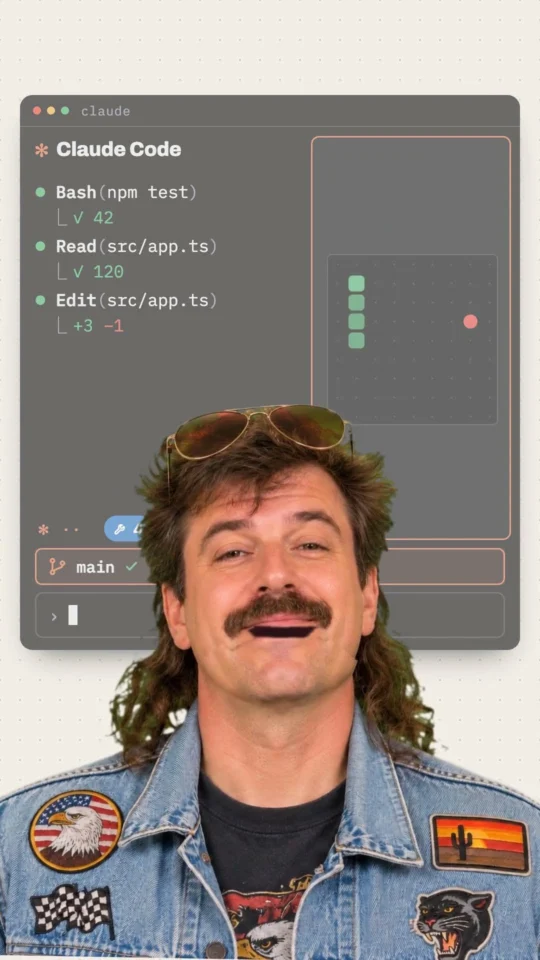
You can now hack Claude Code (officially)
Watch the ShortThe Gekkode YouTube channel publishes more videos about AI and code.
Subscribe to support the channelSince 1 October 2026, Claude Code, Anthropic’s coding assistant, has supported mods. The word comes from video games, where a mod adds a map or a character to a game made by someone else. Claude Code’s mods tweak the tool itself: what it displays and part of what it does.
Three weeks after the release, users have already published thousands of them, from a game of Snake to a safeguard against deletions. You can ask Claude for a mod in a few words, but it has the same permissions as you on your computer.
What is a mod?
Claude Code works one small action at a time. It reads a file, runs a command, waits for your reply, redraws part of the screen. A mod is a small program that Claude Code notifies of each of these actions, like an assistant announcing every move before making it. The mod can simply watch, change the action along the way, or carry it out itself instead.
Claude Code already supported instruction sheets, the skills covered in our guide to skills, and settings that trigger on an event, the hooks. Anthropic’s announcement of 1 October 2026 sums up the difference in one sentence: a hook cannot rewrite an action, draw a new interface or replace one of the tool’s functions. A mod can do all three.
What a mod can display
The official mods documentation describes the places where a mod can draw: a panel beside the conversation, a strip just above the area where you type your requests, a status line below it, a small notification in the top right corner. It can also adjust what Claude Code itself draws, for example the indicator that animates while Claude is working.
The first example in Anthropic’s guide counts Claude’s actions and shows the total next to that indicator, in the form “Thinking · tool calls: 3…”. Other mods show the version of the project you are working on, or the space left in Claude’s working memory, known as its context.
What a mod can change in how Claude Code behaves
A mod can also act. Anthropic publishes an example mod, blast-radius, that holds back a dangerous command before it runs, such as deleting a whole folder, shows what it would erase and offers two buttons, continue or cancel. Other mods send certain tasks to a cheaper model, or replace passwords and email addresses with neutral labels before the AI reads them.
Anthropic has even turned one of its own features into a mod. The /diff screen, which shows the changes made to a project, has become a mod built into Claude Code. You can switch it off, or replace it with your own version.
What users have already come up with
On 2 October, the day after the release, a collaborative list already recorded 359 mods, according to the roundup StashBase published on 3 October. On 20 October, the independent census by karanb192, which goes through GitHub’s public repositories, counts 5,898. A few examples, grouped by use:
- To pass the time while Claude works: a playable Snake in a panel, an arcade of nine games, a YouTube Shorts player, or a guided breathing exercise, Mindful-Claude, the most-followed mod repository StashBase found in early October.
- For music: one mod displays the Spotify track currently playing, with synced lyrics and playback buttons.
- To monitor your usage: gauges that show how much of your plan’s allowance is left, the cost of the session, or a “weather report” for Claude’s working memory.
- To keep track of the work: a map of the project’s files that lights up when Claude reads or edits one, or a notepad beside the conversation for drafting your next requests while Claude works.
- For daily life: one mod even shows prayer times and the time left until the next one.
Snake, the Shorts player, the music and the prayer times all come from a single repository, the one by hamzafer, which offers twenty-five mods. Many mods are the work of one person and have not been checked by Anthropic. The 20 October census says so itself: it is an independent survey, not an official catalogue.
No need to know how to code to get one
The simplest way to get a mod is to ask Claude for one, in your own words, in a conversation: “make me a mod that shows the music currently playing above the input area”. Claude Code comes with an instruction sheet that teaches it how to write a mod. According to Anthropic’s guide to creating mods, Claude writes the files, you approve them one by one, you agree to reload the session’s mods, and the mod switches on as soon as Claude has finished replying.
This mod lives only in the conversation that created it. To keep it, you have to copy its folder elsewhere, or install it as an extension with Claude Code’s /plugin command. You need Claude Code 2.1.287 or later in the terminal, and version 2.1.286 in the desktop app.
I tried the example mod from the documentation
On a Mac running Claude Code 2.1.300, I copied the first mod in Anthropic’s guide, the one that counts Claude’s actions and adds a /tally command. Claude Code can read a mod without running it and tell you what it does. The following command, typed in the folder where the mod sits, performs that check:
claude plugin validate ./first-modIt listed the four moments when this mod steps in (startup, each action by Claude, the /tally command and the display of the indicator) and the only two things it asks of Claude Code, adding a command and redrawing the screen. It ended with “Validation passed”. The /tally command then replied “Claude has made 0 tool calls since this mod loaded”, since no action had taken place yet.
A mod has the same permissions as you
Anthropic’s documentation lists what a mod can access once it is installed. It can read and write your files, launch programs, go online, read the access keys stored in your settings, see each of your requests, approve an action on your behalf and use up your plan’s allowance by calling a model. Claude Code’s sandbox, covered in our article on the permissions of coding agents, isolates the commands Claude runs, not the programs a mod starts.
Of the 359 mods listed on 2 October, StashBase counted 111 that see every message sent to Claude, 75 that connect to the internet and 95 that write files. A few precautions limit the risk. Only install mods from authors you know. Check what a mod does before installing it, using the command shown earlier, which does not run it. If in doubt, start Claude Code with the –safe-mode option, which switches off every installed mod for the length of a session. In a company, the administrator can also limit which mods are allowed.
Key takeaways
- A mod is a small program that changes what Claude Code displays and part of what it does. Mods have existed since 1 October 2026, from Claude Code 2.1.287 onwards.
- A mod can add a panel, a strip above the input area, a counter, a safeguard against deletions, and even a game.
- Claude can write a mod from a simple description, and you approve its files before it switches on.
- Users have published thousands of them in three weeks, from a now-playing music display to a breathing exercise.
- A mod has the same permissions as you on your computer: only install ones from trusted sources, and check them with
claude plugin validate.